Back to all blogs
Learn how to detect AI-supported responses in technical interviews using behavioral, linguistic, and technical signals. Discover how Sherlock AI helps ensure authentic hiring.

Abhishek Kaushik
Feb 11, 2026
Remote technical interviews have changed hiring for the better. They also introduced a new challenge that many teams are only starting to recognize. Candidates can now use AI tools in real time to generate answers, solve coding problems, and craft polished explanations during live interviews.
These responses often sound impressive. They are structured, confident, and technically correct. But they may not reflect the candidate’s real skill level. Industry surveys also show that about one in five professionals admit to secretly using AI tools during job interviews, and more than half believe AI use is becoming the norm rather than an exception. Data shows that candidate deception is already widespread. Nearly one in three hiring managers say they have interviewed someone using a fake identity or someone other than the actual applicant, and around 60 percent of teams report catching applicants misrepresenting their qualifications or background in the hiring process.
Detecting AI-supported responses is no longer about catching obvious cheating. It is about understanding how humans think through problems and spotting when that process is missing.
This guide breaks down the behavioral, conversational, and technical signals that can reveal AI assistance, along with how modern platforms like Sherlock AI help interviewers verify authenticity without disrupting the candidate experience.
Why AI-Supported Interview Responses Are Harder to Spot
Traditional interview fraud was easy to detect. Notes taped to a screen. Someone whispering answers off camera. Copy pasted code that did not quite fit the problem.
AI has changed the game.
Today, a candidate can use a second device or hidden application that listens to the question, generates a solution, and feeds it back in seconds. The interviewer sees a calm candidate delivering a well-structured response. Nothing looks obviously wrong.
In technical interviews, Copilot tools make this even harder to detect. Copilot can autocomplete entire functions, suggest optimized logic, and generate clean, well-commented code in real time. When paired with a hidden prompt or secondary screen, it can help candidates produce solutions that look polished and efficient without fully understanding the underlying logic.
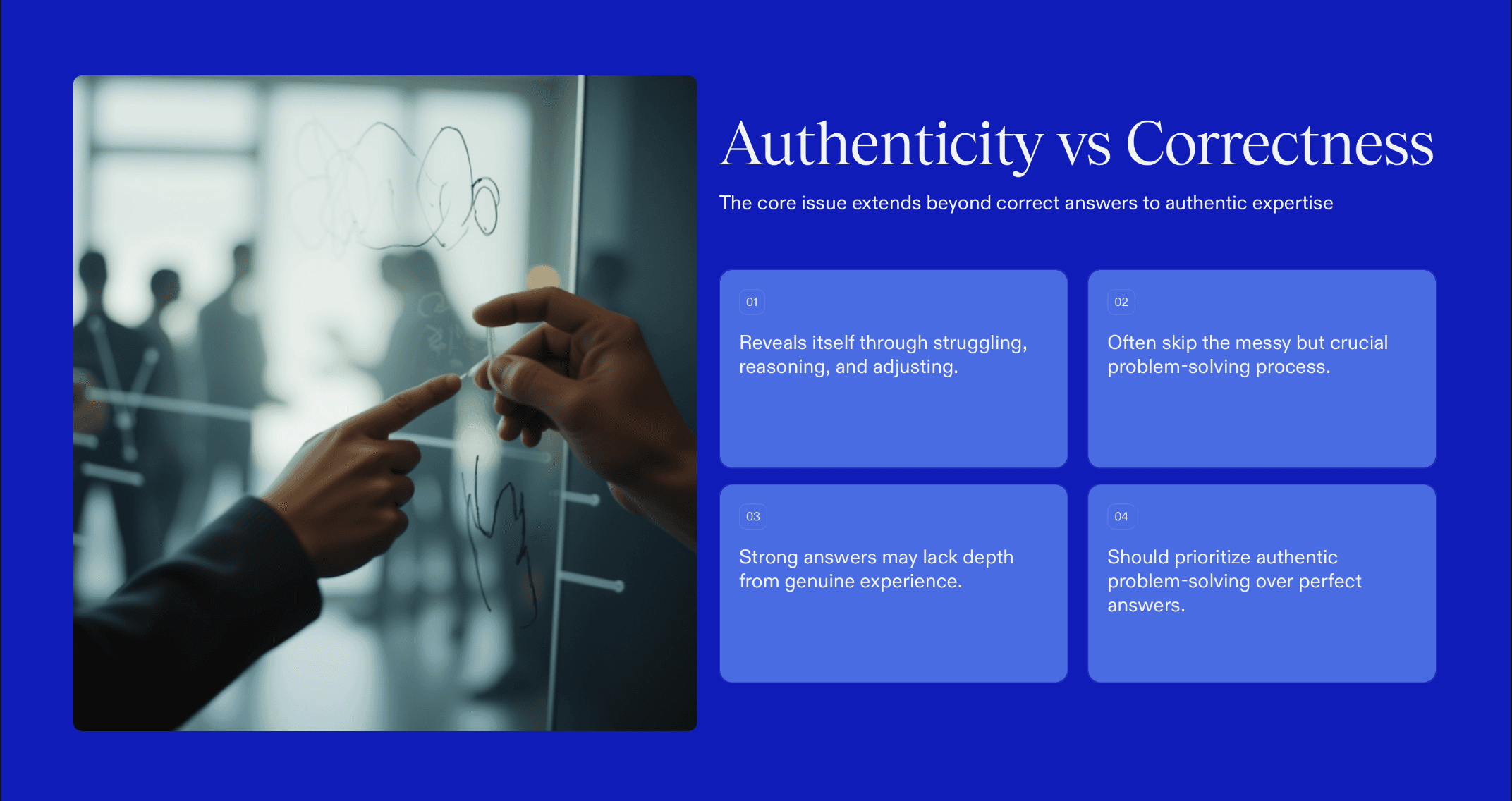
The problem is not just correctness. It is authenticity. Real expertise shows up in how someone struggles, reasons, adjusts, and explains trade-offs. AI tools like Copilot often skip that messy but important process, producing answers that appear strong on the surface but lack the depth that comes from lived problem-solving experience.
Behavioral Red Flags During Live Technical Interviews
AI assistance often affects how candidates behave on camera. A single signal does not prove anything, but consistent patterns can indicate outside help.
1. Response Timing Irregularities
What to watch for:
Repeated three to five second delays before answering even simple follow-up questions.
Why it matters:
This pause can give external AI tools time to process the question and generate a response before the candidate speaks.
2. Unnatural Eye Focus
What to watch for:
Long periods of fixed gaze in one direction or frequent glances to the same off-screen spot.
Why it matters:
Candidates may be reading answers from another screen rather than thinking through the problem live.
3. Limited Facial Engagement
What to watch for:
Very little change in facial expression during complex problem solving.
Why it matters:
Real-time thinking usually shows as concentration, uncertainty, or small emotional reactions. A flat expression paired with polished answers can suggest the cognitive effort is happening elsewhere.
4. Suspicious Background Activity
What to watch for:
Soft typing sounds, faint audio feedback, whispering, or repeated background noises while the candidate is speaking.
Why it matters:
These sounds can indicate interaction with a second device, hidden application, or real-time assistance tool.
5. Mismatch Between Difficulty and Reaction
What to watch for:
The candidate shows the same calm delivery for both easy and very difficult questions.
Why it matters:
Most people visibly adjust when faced with a challenging problem. No change in tempo, tone, or expression can suggest the answer is being supplied rather than developed.
Read More: How to Detect AI Cheating in Technical Interviews
Linguistic Signs of AI-Generated Technical Answers
AI-generated responses often sound different from how engineers naturally speak when solving problems live.
1. Overly Structured, Essay-Style Answers
Watch for answers that sound like prepared articles rather than spontaneous explanations. Phrases like “There are three main approaches” or “From a broader perspective” are common in AI output but less common in natural technical conversation.
2. Lack of Personal Context
Strong engineers usually reference past experiences. They say things like “In a previous project, we ran into a similar issue” or “I once debugged a memory leak like this.” AI-assisted answers tend to stay generic and could apply to any company or situation.
3. Perfect Language With No Thinking Noise
Real problem solving includes pauses, corrections, and partial thoughts. Completely polished speech with no hesitation, especially under pressure, can be a sign that the response is being generated rather than formed in real time.
Technical Interview Techniques That Expose AI Assistance
The most effective way to detect AI-supported responses is to design interviews that test real understanding, not just final answers.
1. Ask “Why” and “How” Questions
After a candidate proposes a solution, go deeper. Ask why they chose that data structure. Ask how their approach would change if scale doubled. AI can provide solutions, but candidates who did not generate them often struggle to explain the reasoning.
2. Change Constraints Midway
Introduce a new condition while they are solving the problem. For example, reduce memory limits or add a performance requirement. Genuine problem solvers adapt their approach. AI-fed workflows often break when the original prompt changes.
3. Use Live Debugging
Instead of only asking for fresh code, present a broken snippet and ask the candidate to find and fix the issue. Debugging reveals real understanding of how systems behave, not just the ability to produce clean solutions.
4. Explore Trade-Offs
Ask candidates to compare two approaches and discuss when each would be better. This pushes them beyond surface-level answers into architectural thinking.
Read More: How to Detect AI Coding Assistants in Technical Interviews
Screen Sharing Alone Is No Longer Enough
Many teams rely on screen sharing as a safeguard. Unfortunately, candidates can still use second devices, hidden windows, or external tools that are not visible on the shared screen.
That is why detection must go beyond the code editor.
How Sherlock AI Protects Technical Interview Integrity
As AI-assisted interviewing becomes more sophisticated, detection can no longer rely on observation alone. Hiring teams need technology that verifies not just what is said, but who is actually answering and how the interaction is happening.
Sherlock AI is built specifically to address this new layer of interview risk.
1. Real-Time Identity Verification
Sherlock AI helps confirm that the person attending the interview is the same person who applied and was screened earlier. This reduces the risk of proxy candidates, impersonation, and last-minute candidate swaps, which are becoming more common in remote technical hiring.
2. Behavioral Pattern Analysis
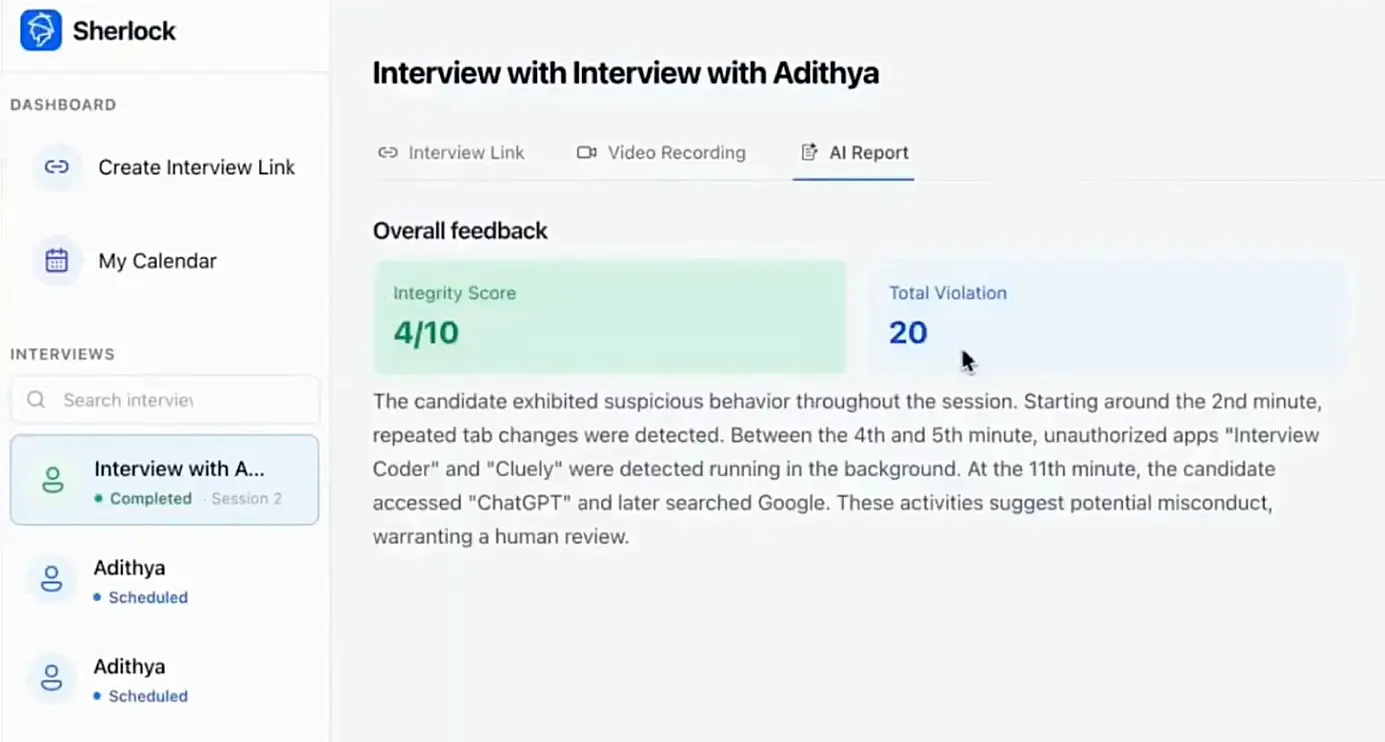
Beyond identity, Sherlock AI monitors behavioral signals throughout the interview. This includes visual attention patterns, response timing, and interaction consistency. When combined, these signals can highlight unusual behaviors associated with external assistance.
Instead of relying only on interviewer intuition, teams get data-backed insights that support more confident decisions.
3. Detection of Multi-Device Assistance
Many AI-supported interviews involve a second device running a hidden assistant. Sherlock AI is designed to surface patterns that suggest divided attention or off-screen interaction, helping teams detect assistance that traditional screen sharing cannot reveal.
4. Seamless Integration Into Existing Interviews
Sherlock AI works alongside your existing interview platforms and processes. There is no need to redesign technical interview or interrupt the natural flow of conversation. Interviewers continue evaluating skills while Sherlock AI operates quietly in the background.
5. Evidence for Compliance and Audit Needs
For regulated industries and security-sensitive roles, hiring integrity is not just a quality issue. It is a compliance requirement. Sherlock AI provides verification records and behavioral signals that help organizations demonstrate due diligence in their hiring process.
A Smarter Way to Interview in the Age of AI
Technical interviews should measure how candidates think, adapt, and solve problems. Sherlock AI helps ensure the person demonstrating those skills is doing the work themselves.
As AI tools become more powerful, interview integrity needs to evolve just as quickly. Sherlock AI gives hiring teams the visibility they need to make confident, fair, and secure hiring decisions in a remote-first world.