Back to all blogs
Learn how to detect AI coding assistants in technical interviews using behavioral signals, interview design strategies, and real-world detection techniques to assess genuine candidate skills.

Abhishek Kaushik
Jan 29, 2026
Artificial intelligence has now become a staple add-on in software development world. According to the 2025 Stack Overflow Developer Survey, a striking 84 % of developers worldwide now use or plan to use AI tools in their coding workflows, with about half of professional developers using them daily.
But with that influence comes a new dilemma for technical hiring teams. Unlike traditional programming tasks, technical interviews are designed to measure a candidate’s individual problem-solving abilities. Yet AI code assistants can generate solutions that obscure true mastery.
Because of this, hiring managers are facing an emerging challenge: differentiating between a candidate’s authentic coding skills and outputs that are primarily produced or heavily assisted by AI.
How Candidates Use AI Coding Assistants to “Cheat” in Technical Interviews
As AI coding tools become more powerful and accessible, some job seekers have found ways to use them during technical interviews, often in ways that hide the AI’s contribution. These practices range from sneaky real-time assistance during live interviews to using AI to generate project code candidates can’t personally explain.
1. Real-time AI Assistance During Live Remote Interviews
One documented pattern is candidates using AI tools during live virtual interviews to generate real-time code or answers while the interviewer thinks the candidate is responding themselves.
In some cases, candidates deploy “invisible” AI assistants that listen to an interviewer’s questions, generate answers instantly, and provide those answers discreetly. Sometimes hidden from screen-share or off-camera, so interviewers never see the AI working.
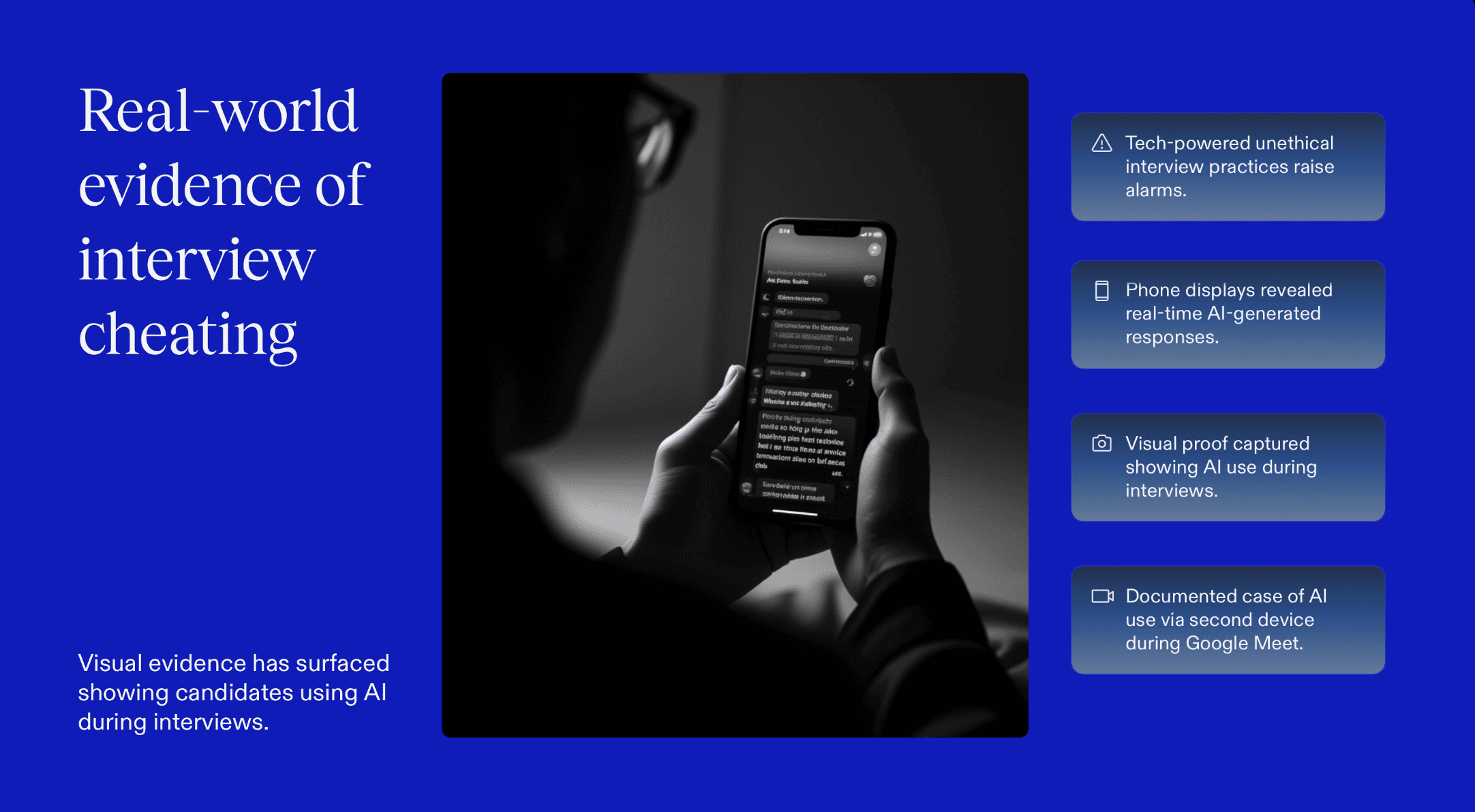
Visual evidence shared online showed a candidate using AI through a second device during a Google Meet interview, with a phone in view displaying real-time responses generated by an assistant.
2. Dedicated AI Tools Built to Game Interview Systems
There have also been reports of actual tools developed specifically to help candidates circumvent technical interview challenges.
A notable example involved a Columbia University student who created an AI program called Interview Coder, software designed to capture coding problems in interviews and generate solutions in real time, without alerting the interviewer. The creator claimed it helped him land multiple internship offers before the tools’ misuse became publicized and influenced hiring decisions.
3. Tab-Switching and Copy-Paste Prompting During Interviews
Instances have emerged where candidates switched to ChatGPT mid-interview, copying interview questions (even non-technical ones like “tell me about your background”) into the AI chat and then reading back the responses.
Recruiters noticed unnatural pauses and tab switching as the AI processed prompts and generated replies.
4. Submitting AI-Generated Project Code Without Personal Understanding
Not all AI misuse happens in real time. Another pattern involves candidates submitting work that was largely written by AI.
In one recent example, a job applicant admitted to a recruiter that their interview project was mostly generated using ChatGPT. Although this didn’t involve covert action during the interview itself, it raised questions about authenticity and a candidate’s ability to explain or modify the code they presented.
Behavioral and Technical Signals That Reveal AI-Assisted Coding in Live Interviews
AI-assisted cheating in technical interviews rarely fails because of the code itself. Modern coding copilots are excellent at producing clean, correct, and well-structured solutions. Instead, detection usually comes from mismatches between how a candidate thinks, speaks, types, and adapts during the interview. These behavioral and technical inconsistencies are difficult to fake consistently, even with advanced AI tools.
1. Sudden Jumps From Partial Understanding to Near-Perfect Implementations
Human problem-solving is incremental. Candidates typically clarify requirements, sketch approaches, make small mistakes, and gradually refine their solution. When AI is involved, this progression often breaks.
Interviewers may notice a candidate struggling to articulate an approach, followed by a sudden appearance of a fully formed, optimized solution that handles edge cases flawlessly. The leap from confusion to correctness happens too quickly and without visible intermediate reasoning. This pattern suggests that the “thinking” occurred outside the interview environment.
2. Inconsistent Explanation Quality Compared to Code Sophistication
One of the clearest signals of AI-assisted coding is a gap between explanation and execution. Candidates may produce advanced solutions like optimal time complexity, clean abstractions, defensive checks, yet struggle to explain why specific decisions were made.
Common red flags include:
Vague or circular explanations for well-designed logic
Difficulty justifying algorithm choice or trade-offs
Inability to explain why edge cases were included
3. Over-Generic Naming, Symmetry, and “Textbook-Perfect” Structures
AI-generated code often exhibits subtle stylistic traits:
Generic variable names (
data,result,temp,map1)Highly symmetrical control flow
Perfectly ordered condition checks
Comprehensive edge-case handling without prompting
While none of these alone prove AI use, the combination of overly polished structure and lack of personalization, especially under time pressure, is a strong indicator of copilot involvement.
4. Latency Patterns: Pauses Followed by Large, Polished Code Blocks
In live interviews, human typing tends to be continuous and exploratory. AI-assisted behavior often introduces a distinct rhythm:
Long pauses with minimal typing
Sudden insertion of large, clean blocks of code
Little to no refactoring after insertion
These latency patterns align with prompting an external tool, reviewing the output, and then transcribing or pasting it, even when direct copy-paste is restricted.
5. Difficulty Modifying or Debugging Code They Just “Wrote”
Perhaps the strongest validation test comes after the solution is written. Candidates relying on AI often struggle when asked to:
Modify logic under new constraints
Refactor for readability or performance
Debug introduced bugs
Explain alternative approaches
Because the candidate did not mentally construct the solution, even small changes can cause disproportionate confusion. Human authorship, by contrast, enables faster adaptation and confident reasoning.
Interview Design Techniques That Break Dependency on AI Coding Assistants
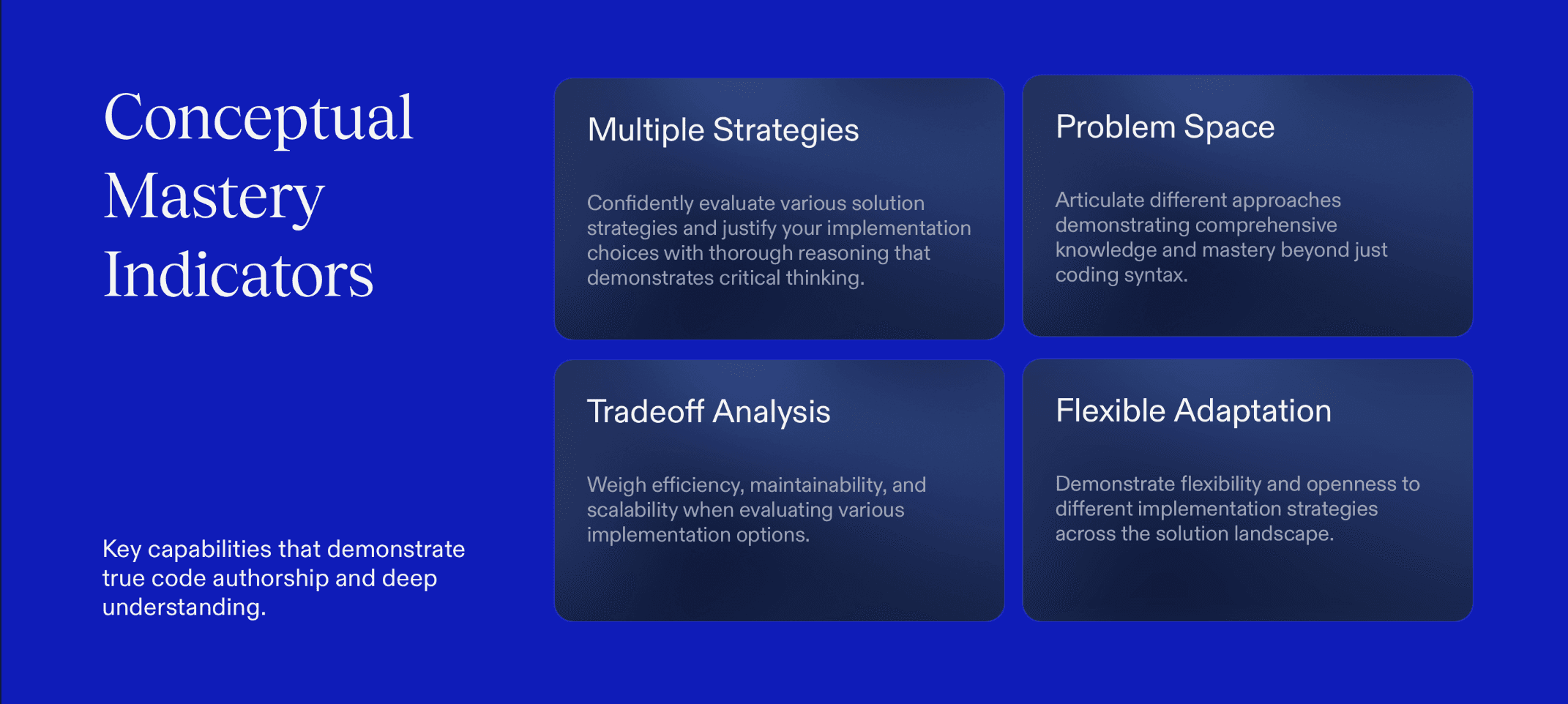
The strongest defense against AI-assisted cheating is interview formats that don’t play to AI’s strengths. Copilots perform best when problems are static, well-defined, and purely syntactic. They struggle when interviews demand judgment, adaptation, and real-time reasoning.
That’s where interview design becomes a detection mechanism in itself.
1. Progressive problem mutation
Instead of presenting a problem once and evaluating the final solution, effective interviewers change the rules midstream. After a candidate begins implementing a solution, new constraints are introduced like tighter performance limits, additional edge cases, or altered input assumptions.
Strong candidates adapt their thinking naturally and explain how the change affects their approach. AI-assisted candidates often stall here. The original solution no longer fits, and because it wasn’t internally reasoned through, modifying it becomes difficult.
2. Requirement trade-offs that force judgment
AI tools are good at producing “best practice” solutions. They are poor at choosing which best practice matters most in a given context.
Interviews that introduce trade-offs such as speed versus readability, extensibility versus simplicity, or correctness versus latency, require candidates to take a position and defend it.
Engineers who understand the problem space can explain why they made a choice. AI-reliant candidates tend to default to generic reasoning or struggle to justify decisions beyond surface-level explanations.
3. Code reading and refactoring instead of greenfield coding
Greenfield coding is where AI copilots shine. Code comprehension is where they struggle.
Providing an existing piece of imperfect code and asking a candidate to explain it, identify flaws, or refactor a specific section shifts the focus from generation to understanding.
Candidates who truly grasp software behavior can reason about unfamiliar logic. Those relying on AI often fail to build a mental model of code they didn’t personally construct.
4. Verbal reasoning checkpoints
One subtle but powerful technique is pausing the interview at predefined moments. Before coding, midway through implementation, or after a partial solution, ask the candidate to explain what they’re about to do next.
Human problem solvers naturally think aloud and reason forward. AI-assisted candidates frequently reverse the flow - code appears first, reasoning comes later, and often feels retrofitted.
5. Environment constraints that remove silent assistance
Simple constraints like shared-screen coding, restricted IDEs, significantly reduce the ability to rely on hidden copilots or second devices.
When external assistance disappears, authentic capability becomes visible very quickly.
Sherlock AI: The Interview Integrity Layer Built for the AI Era
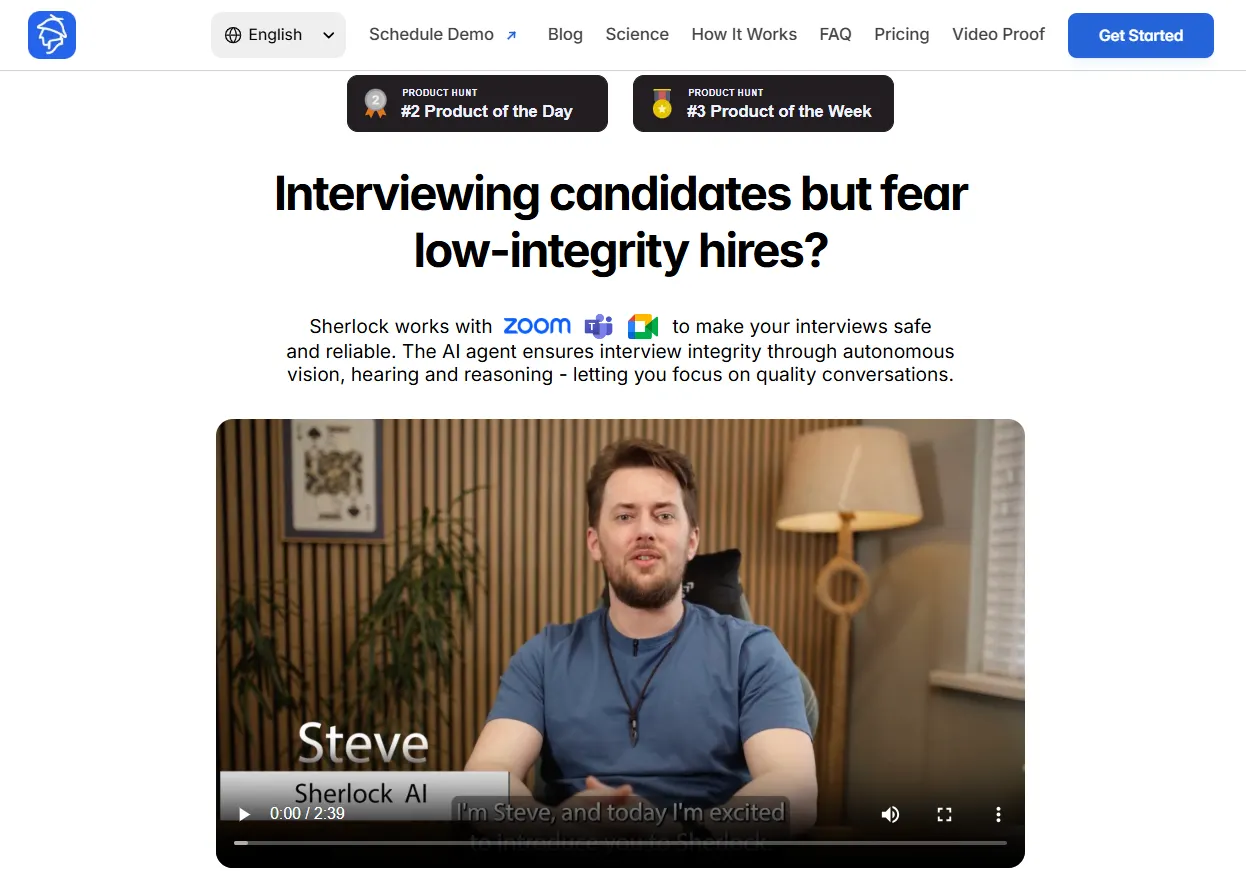
Sherlock AI isn’t a proctoring tool. It’s an interview integrity layer designed specifically to detect AI-assisted behavior, proxy help, and authenticity gaps during live technical interviews.
What makes Sherlock AI different
Sherlock AI focuses on behavior, not just output.
Instead of flagging surface-level actions like eye movement or tab switching, Sherlock AI analyzes how candidates think, respond, and transition during an interview.
It looks for patterns such as:
Pauses followed by unusually polished answers
Mismatches between explanation quality and code complexity
Behavioral signals consistent with second-screen or external assistance
Sudden shifts in clarity or confidence mid-interview
How Sherlock AI works during live interviews
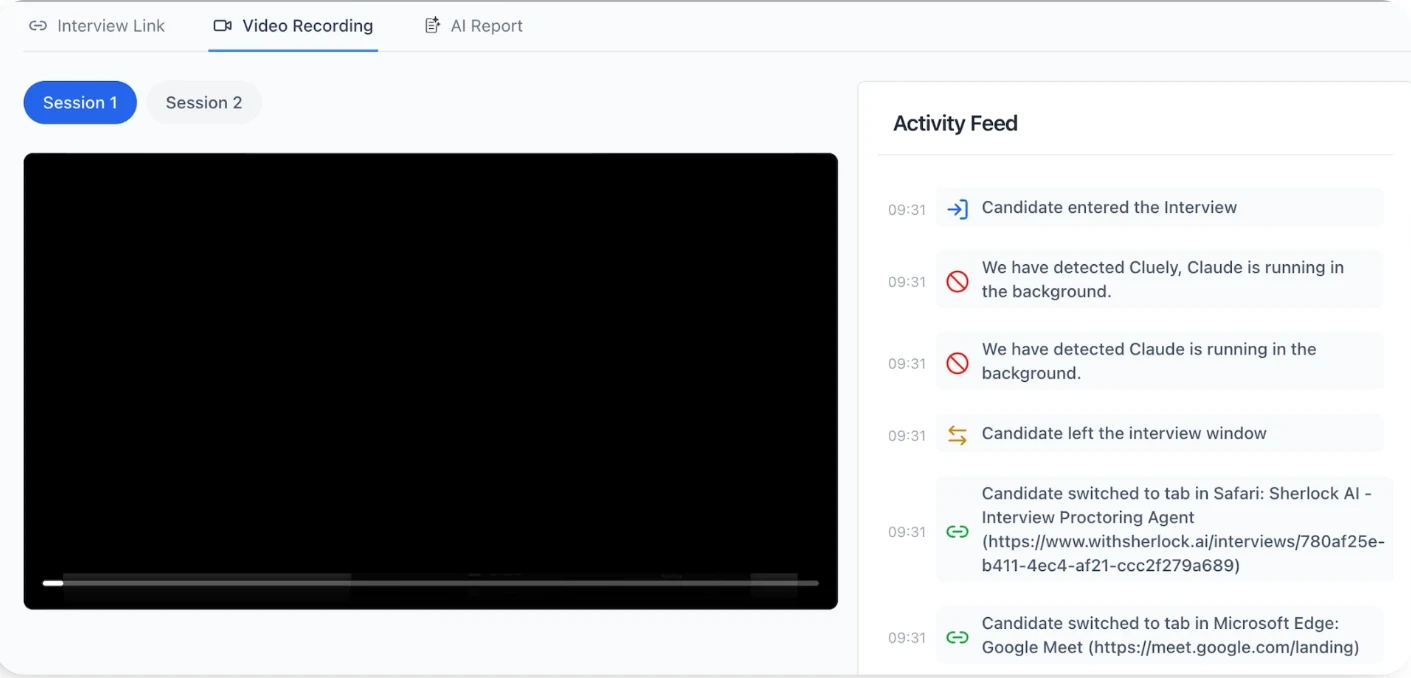
Sherlock AI joins interviews through secure calendar and meeting integrations and runs quietly in the background.
During the session, it:
Observes verbal, behavioral, and interaction patterns in real time
Flags moments that warrant deeper follow-up
Provides interviewers with contextual alerts, not verdicts
This allows interviewers to probe smarter in the moment, instead of discovering issues after the fact.
Designed to protect candidate experience
No invasive screen locking
No excessive monitoring
No automated pass/fail decisions
Instead, Sherlock AI focuses on fairness, transparency, and signal quality, helping companies maintain trust while protecting hiring standards.
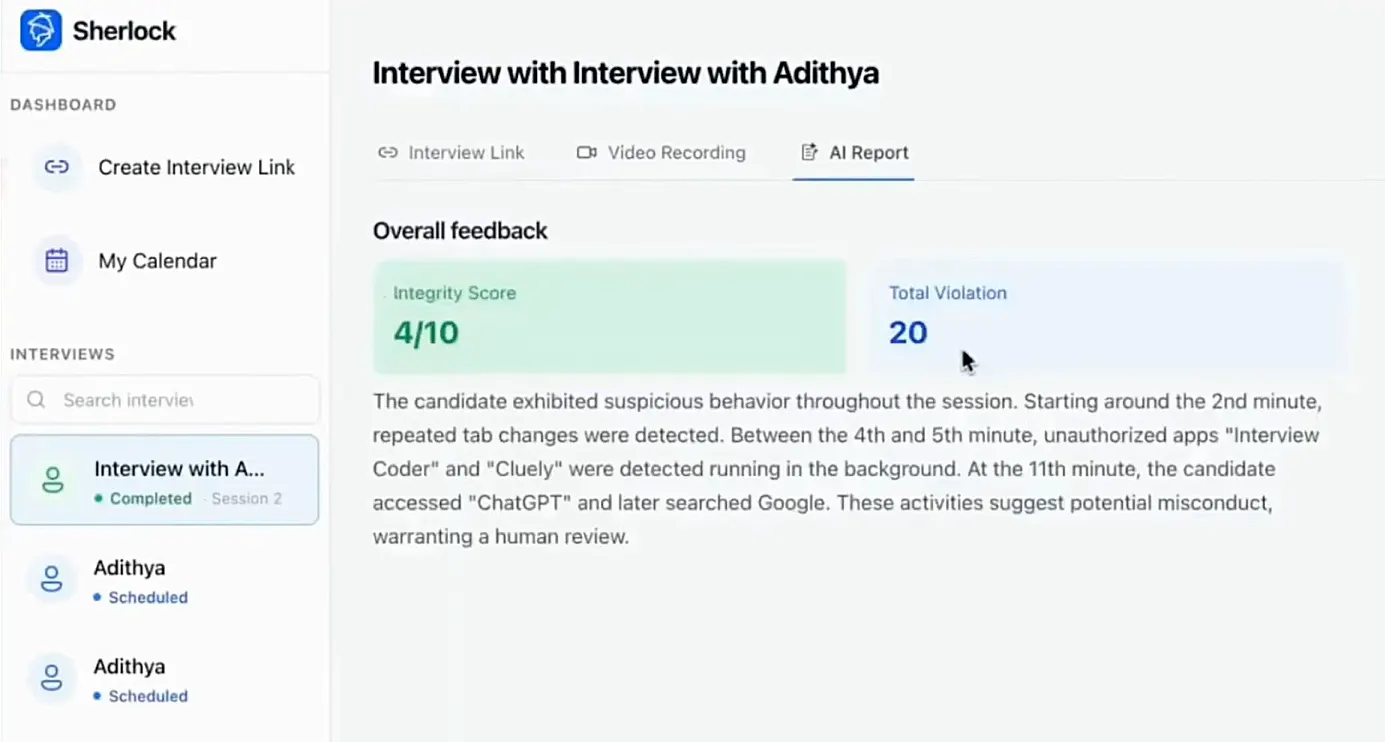
Built for how teams hire today
Sherlock AI also supports evolving interview philosophies:
Detecting unauthorized AI use when AI is not allowed
Observing AI fluency when controlled AI usage is permitted
Generating structured interview notes and integrity insights across rounds
This makes it suitable for both strict evaluation environments and modern, AI-inclusive hiring models.
Conclusion
AI coding assistants have blurred the line between real skill and assisted performance in technical interviews. Detecting misuse requires more than banning tools, it demands interview formats that test reasoning and adaptability, supported by systems that surface behavioral inconsistencies.
By pairing smart interview design with integrity-focused solutions like Sherlock AI, hiring teams can evaluate what truly matters: how candidates think, not just what they produce.