Back to all blogs
How to Detect Hidden AI Tools During Interviews. Spot red flags like unnatural pauses and deepfakes, and see how Sherlock AI ensures fair, authentic hiring.

Abhishek Kaushik
Feb 5, 2026
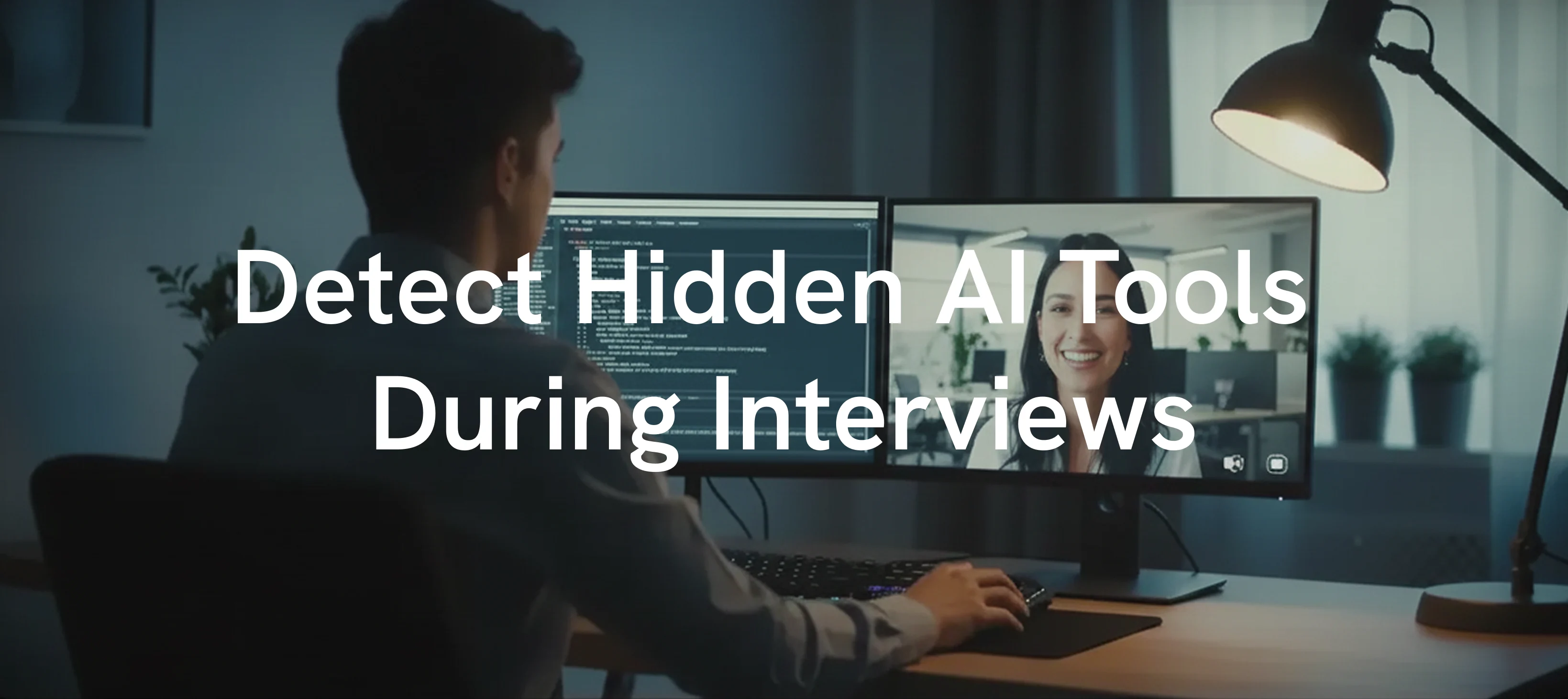
Artificial intelligence is rapidly reshaping the hiring landscape, not just for employers but for candidates as well. With remote interviews becoming the norm, job seekers now have easy access to AI copilots that can generate answers, solve coding challenges, and deliver perfectly structured responses in real time. Recent studies show that nearly half of candidates have experimented with AI tools at some stage of the hiring process, and many recruiters admit they struggle to distinguish AI-assisted answers from genuine expertise. Gartner predicts that by 2028, up to 1 in 4 candidate profiles could be fake, driven in part by easier access to AI tools.
This growing reliance on hidden AI during interviews creates a serious risk for organizations. Two in every three (65%) hiring managers have caught applicants using AI deceptively, like reading from AI-generated scripts (32%), hiding prompt injections in resumes (22%), or showing up as deepfakes (18%). When AI acts as an invisible interview partner, candidates can appear more knowledgeable, experienced, and articulate than they truly are. The result is not just unfair evaluation but potentially costly hiring mistakes, with bad hires known to cost companies a significant portion of an employee’s annual salary.
For recruiters, the challenge is no longer just assessing skills but identifying when those skills are being artificially enhanced. This blog explores how hidden AI tools influence interviews, the warning signs to watch for, and the strategies and technologies that can help ensure fair and accurate hiring decisions.
Why Hidden AI Tools Are a Concern
Candidates using AI tools can deliver answers that appear polished and technically accurate. However, this can mask a lack of understanding, creativity, or problem-solving ability. Traditional interview methods, such as asking standard technical questions, may fail to identify AI-assisted responses. For recruiters, this can result in hiring candidates who are not equipped to perform effectively in real work situations.
Step-by-Step Guide to Detect Hidden AI Tools During Interviews
1. Watch for Unnatural Pauses
AI tools require time to generate structured answers. Candidates may pause longer than normal and then provide a highly polished response.
Examples:
A candidate takes 10 seconds to answer a coding question and then delivers a textbook-perfect solution without hesitation.
During a system design discussion, the candidate pauses noticeably before giving a well-organized explanation of scalability strategies.
2. Identify Overly Polished Answers
AI-generated answers are often flawless but lack personalization or nuance. Candidates may avoid admitting uncertainty or mistakes.
Examples:
A candidate explains complex algorithms with perfect terminology but cannot provide a real-world example from their experience.
Similar phrasing or sentence structure appears in multiple answers, suggesting pre-formed or generated content.
3. Observe Eye Movements and Device Glances
Candidates consulting hidden AI tools may glance at a secondary device or keyboard while thinking.
Examples:
The candidate repeatedly looks down or sideways while answering technical questions.
Eyes shift away from the camera whenever asked to explain step-by-step reasoning.
4. Test Improvisation Skills
AI can provide ready-made answers, but candidates may find it difficult to adjust or think on the spot.
Examples:
The candidate cannot modify code when given an edge case scenario.
When asked to debug or optimize their solution live, they freeze or hesitate unusually.
5. Ask Detailed Follow-Up Questions
AI-generated answers are often complete but lack real-life context. Asking follow-up questions tests whether the candidate truly understands the concepts.
Examples:
Ask the candidate to explain why they chose one solution over another and to discuss potential trade-offs.
Request a description of a real project where they applied a similar solution and ask about challenges they faced.
6. Conduct Live Problem Solving
AI tools provide pre-generated answers but candidates may struggle when asked to think on their feet. Live exercises reveal genuine skills and creativity.
Examples:
Ask the candidate to write or modify code while you observe their thought process.
Present an unexpected scenario or edge case and see how they adapt their solution.
7. Observe Non-Verbal Behavior
Candidates using hidden AI tools may display minor behavioral inconsistencies while thinking or answering questions.
Examples:
Frequent glances toward a secondary device or away from the camera.
Small delays between the question being asked and the start of the answer, combined with smooth, structured responses.
8. Use AI Detection Tools
Emerging software can help identify AI-generated content or unusual response patterns that are hard to detect manually.
Examples:
Tools like Sherlock AI can flag structured answers that resemble AI-generated content.
Behavioral latency analysis platforms can detect unnatural response timing in live interviews.
Risks for Companies When AI-Assisted Candidates Are Hired
Go beyond general concern and show real business impact:
Poor on-the-job performance
Increased training costs
Lower team productivity
Damage to hiring credibility
High attrition after probation
Recruiters and founders care deeply about downstream cost.

Read More: How To Catch Candidates Using AI During Interviews
AI vs Human Thinking Differences
Human Candidate | AI-Assisted Candidate |
|---|---|
Thinks in fragments | Answers in structured blocks |
Admits uncertainty | Sounds overly confident |
Uses imperfect language | Uses polished, formal phrasing |
Explains with lived experience | Explains with generic examples |
How Sherlock AI Helps Detect Hidden AI Use
Sherlock AI is a cutting-edge platform designed to help recruiters identify AI-assisted responses during interviews. It combines behavioral analysis, response timing, and advanced AI detection algorithms to provide actionable insights, making the evaluation process more accurate and efficient.
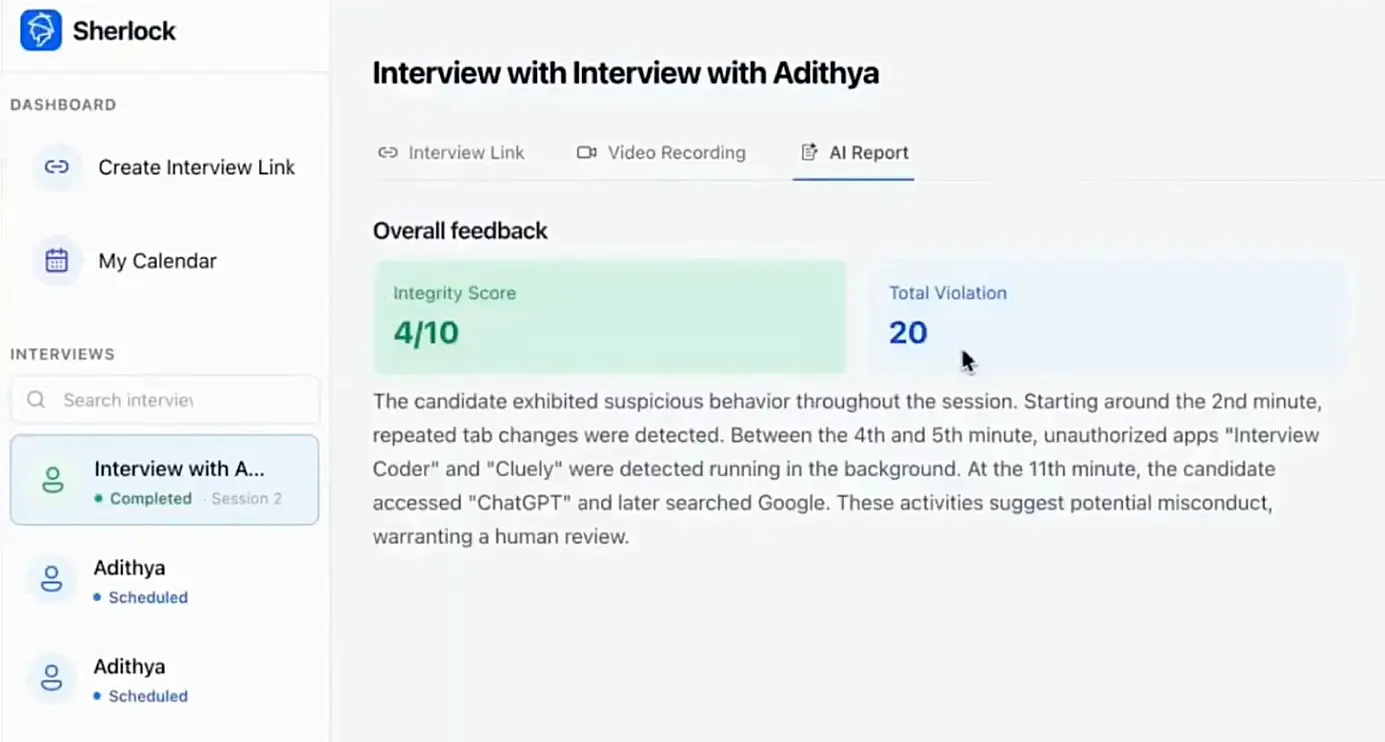
Key Benefits of Using Sherlock AI:
Behavioral Pattern Analysis: Sherlock AI monitors subtle cues such as pauses, hesitation, and gaze shifts to detect potential AI assistance.
Real-Time AI Detection: It flags structured or overly polished answers that are likely AI-generated.
Integration With Interview Workflows: Recruiters can combine Sherlock AI insights with live observations to make informed decisions.
Enhanced Hiring Accuracy: By highlighting inconsistencies between a candidate’s behavior and responses, it ensures that only candidates with genuine skills progress in the process.
Conclusion
Detecting hidden AI tools in interviews is essential for maintaining fair and effective hiring. By combining careful observation, live problem-solving exercises, follow-up questioning, and AI detection platforms like Sherlock AI, recruiters can confidently evaluate candidates based on real skills, adaptability, and potential.
Sherlock AI not only highlights behavioral inconsistencies and AI-generated content but also complements human judgment, helping hiring teams make decisions that reflect true candidate capabilities. By leveraging both human insight and AI-assisted detection, organizations can maintain the integrity of their hiring process while preparing for a future where AI is increasingly part of professional workflows.