Back to all blogs
Learn how to catch candidates using AI during interviews by focusing on reasoning, response patterns, and interview structure.

Abhishek Kaushik
Jan 12, 2026
Interviews exist to understand how a candidate thinks, solves problems, and makes decisions. When AI answers questions for them, you are no longer evaluating the candidate. You are evaluating the tool they are using. In fact, a survey of professionals found that 20% have secretly used AI tools during job interviews, and more than half believe AI use in interviews has become the norm
AI can make weak candidates sound confident and experienced, producing polished and well-structured answers that often fall apart under follow-up questions,
This leads to costly hiring mistakes. This leads to costly hiring mistakes. A report shows 59% of hiring managers suspect candidates of using AI or misrepresenting themselves, and many companies admit their existing recruitment processes struggle to catch these cases.
Candidates who interview well struggle on the job. Teams slow down. Managers spend more time correcting work. Eventually, companies are forced to rehire and restart the process. Over time, this makes hiring outcomes less reliable and harder to stand behind.
Types of AI Candidates Use During Interviews
AI use in interviews today is not hypothetical. Many tools are explicitly designed to run quietly during live meetings and stay out of view. Understanding how these tools actually work makes it easier to recognize when an interview stops reflecting the candidate’s real ability.
1. Real-time answer generation running in the background
Some tools are built to listen to live interview audio and generate responses in real time. Products like Cluely or similar “interview copilots” can run in the background during Zoom or Google Meet, transcribing questions and suggesting full answers without appearing on screen.
How this shows up in interviews:
The candidate takes a few seconds after every question, even familiar ones
Answers sound structured and confident but feel generic
When interrupted mid-answer, the candidate struggles to continue
Follow-up questions receive noticeably weaker responses
The tool is listening, generating a response, and the candidate is reading or paraphrasing it. The interview is evaluating the AI’s output, not the candidate’s thinking.
👉 Explore How to Detect and Prevent Cluely AI in Interviews
2. AI-assisted coding during live technical interviews
Tools like Interview Coder or similar coding copilots can generate working code while the interview is in progress. These tools can solve problems, explain logic, and even fix bugs as they appear.
Real-world example: A candidate writes clean, correct code but cannot explain why a specific approach was chosen. When asked to change constraints or optimize, progress stalls or restarts completely.
Why this is risky:
Output looks correct, but fundamentals are weak
Debugging skill is masked
Adaptability and problem decomposition are not tested
👉 Explore How to Detect and Prevent Interview Coder in Interviews
3. Memorized AI-generated behavioral stories
Many candidates now prepare by asking AI to generate answers for common behavioral questions and then memorizing them. These stories often follow frameworks like STAR and sound polished, but they are not grounded in lived experience.
What interviewers notice:
Stories feel rehearsed and overly smooth
Details around decisions, trade-offs, or failure are vague
The same language appears across different answers
The story breaks when asked about alternatives or mistakes
The candidate is recalling AI-generated text, not real scenarios. This makes it hard to assess judgment, ownership, and learning.
4. Pausing after questions to prompt AI tools
Some tools require manual input, so candidates pause after a question to paste or type it into an AI assistant. This behavior often looks like thoughtfulness, but it follows a consistent pattern.
Common interview patterns:
Long pauses before starting an answer
Eyes move off-screen immediately after the question
Strong initial responses, weak clarifications
Discomfort when asked to think out loud in real time
5. Second-device or second-screen AI assistance
To avoid detection, candidates often run AI tools on a phone or second laptop placed just out of view. This allows continuous assistance even when screen sharing or proctoring is enabled.
Real-world signals:
Repeated eye movement to the same off-screen location
Sudden changes in tone or pacing mid-answer
Delays during complex questions
Answers that do not align with what is visible on the shared screen
Visual monitoring alone is no longer enough. Many modern AI tools are designed to work alongside live interviews without leaving obvious traces.
None of these behaviors alone confirm misuse. But when multiple patterns appear together, the interview stops measuring the candidate’s independent thinking. Recognizing how these tools operate in real interviews helps interviewers adjust questions, pacing, and follow-ups to recover meaningful signal.
Interview Design To Expose AI Dependence
Strong interview design helps surface how candidates think when answers are not pre-packaged. AI tools tend to perform best when they can generate complete responses in one pass, and less well when ongoing judgment and adaptation are required.
1. Incremental problem-solving that builds commitment
Breaking problems into smaller steps encourages candidates to make decisions early and explain their reasoning as they go.
Start with the problem at a high level.
Invite the candidate to choose a starting point.
Explore the reasoning behind that choice before moving forward.
Example:
Instead of asking for a full system design, begin with:
“What would you focus on first?”
“What information would you want before going deeper?”
“What are you intentionally leaving out at this stage?”
Candidates relying heavily on AI often provide broad overviews. When asked to commit to a path and build on it, their explanations may become less consistent over time.
2. Introducing constraint changes during reasoning
Adjusting constraints while the candidate is explaining their approach reveals how they adapt in real time.
Introduce a new requirement mid-explanation.
Explore how the existing approach would change.
Example:
“Let’s pause there. Now assume traffic is much higher than expected.”
“What if this needs to work with strict latency limits?”
“How would this change if the team were half the size?”
AI-generated responses are often tied closely to the original prompt. When conditions change, candidates who depend on AI may struggle to integrate the new context smoothly.
3. Encouraging candidates to critique their own solutions
Inviting reflection helps surface ownership and judgment.
Ask which part of the solution feels weakest.
Discuss what might cause issues in real use.
Explore alternative approaches they considered.
Example:
“Which decision here feels most risky?”
“What would you revisit if this went to production?”
“What trade-off are you least comfortable with?”
Candidates drawing from real experience tend to offer specific risks and concrete alternatives. Generic or surface-level critique can indicate limited ownership.
4. Grounding the discussion in real-world trade-offs
Real teams work within constraints that require prioritization.
Introduce realistic limits around time, people, or existing systems.
Ask how priorities would shift.
Example:
“If delivery time were the main pressure, what would change?”
“If this had to fit into an existing system, what would you keep?”
“What would you simplify if resources were tight?”
Trade-off discussions reveal how candidates make decisions under pressure. AI-assisted answers often remain non-committal or try to cover all options.
5. Focusing on reasoning, not polished answers
Making reasoning visible helps separate understanding from output quality.
Invite candidates to talk through their thinking.
Ask what they are unsure about.
Explore how they would test or validate ideas.
Example:
“Talk me through how you’re thinking about this.”
“What assumptions are you making right now?”
“What would you want to validate first?”
AI can produce clean responses. It cannot replicate a candidate’s real-time uncertainty, prioritization, or self-correction.
Using these techniques together
These approaches are most effective when combined. As the conversation progresses, candidates who truly understand the problem tend to stay coherent and grounded. Candidates leaning heavily on AI often show gaps when adapting, critiquing, or reasoning aloud.
This style of interview supports fair evaluation while naturally reducing the advantage of external assistance.
Role of Proctoring & Detection - Sherlock AI
Hiring teams are increasingly facing a challenge: candidates using AI during interviews can mask their real thinking, making evaluation unreliable. Traditional proctoring tools block apps, restrict browsers, or monitor screens, catching only the obvious cases and often fail in real-world scenarios.
This is where Sherlock AI offers a clear advantage.
Pattern-Based Detection That Understands Behavior
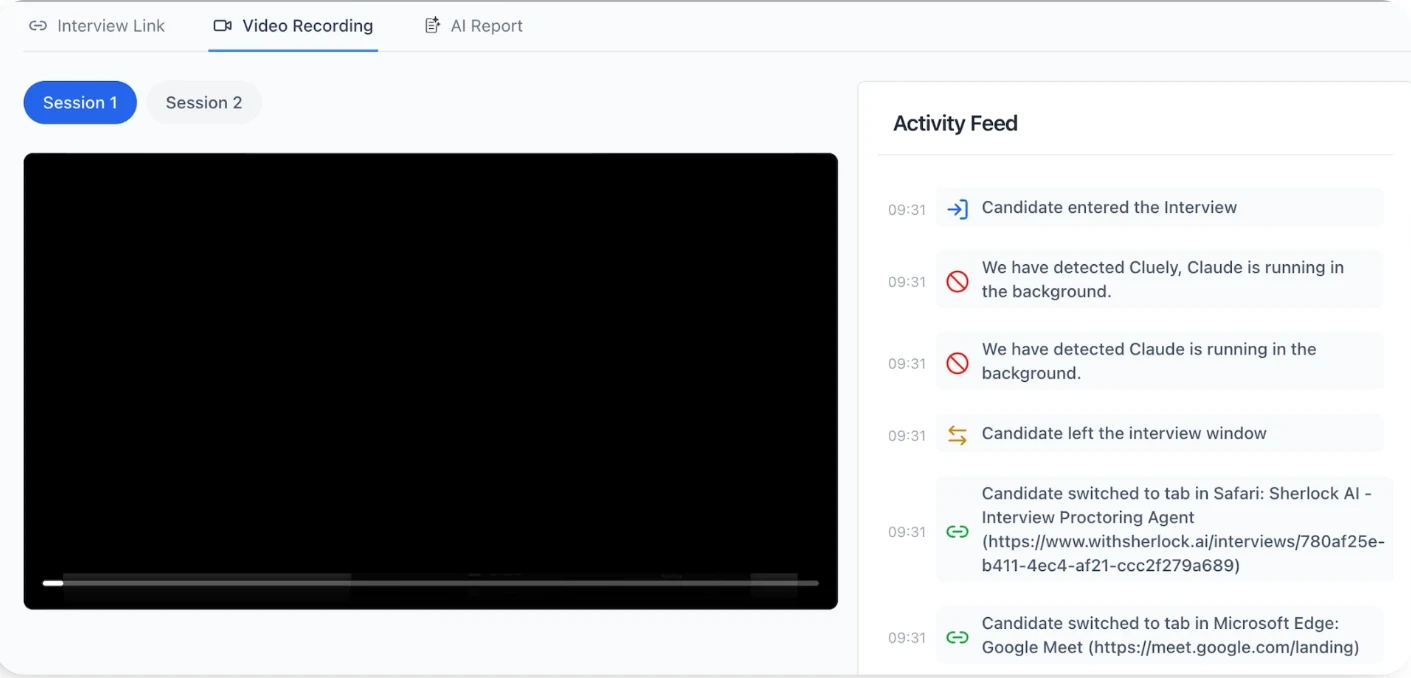
Sherlock AI detects suspicious patterns in real time:
Unusual pauses or delayed responses during questions
Sudden clarity after a pause or external prompt
Off-screen or device-switching behavior suggesting hidden AI assistance
Inconsistencies between reasoning and output
Apps or processes running in the background, which may indicate covert AI use
Signals, Not Verdicts
No tool can evaluate reasoning or judgment alone. Sherlock AI works by providing actionable alerts, not automatic decisions. These signals highlight areas where interviewers may want to probe further, allowing human judgment to remain central in evaluating problem-solving, adaptability, and ownership.
Example in practice:
During a live coding interview, a candidate may produce correct code while relying on AI in the background. Sherlock AI flags patterns that show timing or reasoning inconsistencies. Interviewers can then ask follow-ups to uncover true understanding, rather than relying solely on the output.
Integrating with Interviewer Expertise
The real power of Sherlock AI comes from combining AI detection with structured interviewing. Alerts from Sherlock AI help interviewers:
Ask targeted questions when patterns look unusual
Contextualize suspicious behavior against expected reasoning paths
Keep the focus on evaluating skills and judgment, not just tool usage
This approach ensures AI assistance doesn’t skew the results, while still keeping the interview human-centered.
Designed for Privacy and Fairness
Sherlock AI works transparently and unobtrusively:
Joins only scheduled interviews
Monitors activity in the background without interrupting the candidate
Flags anomalies to guide deeper questioning, not to penalize
Candidates are evaluated primarily on their skills and reasoning, making interviews fair, professional, and trustworthy.
Bottom line: For hiring teams that want to maintain integrity while evaluating real thinking, Sherlock AI is the most reliable and practical solution. It turns detection from a checkbox into actionable insights, helping interviewers make confident, evidence-based decisions.
Conclusion
AI tools are reshaping interviews. Candidates may appear confident, articulate, and technically capable, but without careful design, these signals can be misleading. Traditional methods like scripted questions, take-home tasks, or simple proctoring are no longer enough to ensure reliable hiring decisions.
The key to maintaining interview integrity lies in combining structured evaluation with intelligent detection. Thoughtful interview design such as incremental problem-solving, adaptive questions, and real-time reasoning prompts reveal true thinking.
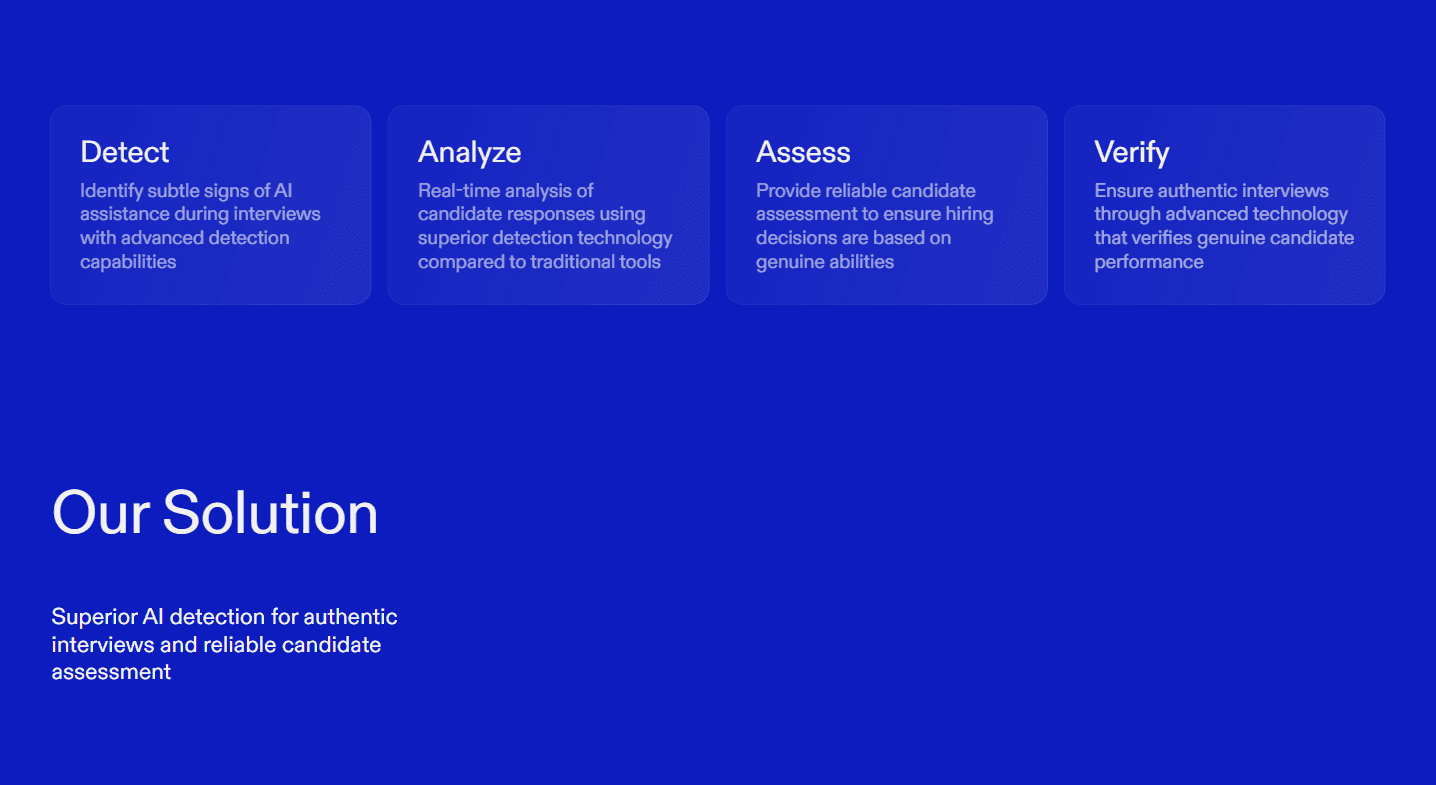
Sherlock AI provides unmatched visibility into patterns that indicate AI-assisted behavior, including background apps, response timing, off-screen activity, and inconsistencies between reasoning and output.
When used together, these approaches give hiring teams confidence that their assessments reflect the candidate’s real skills, judgment, and decision-making.