Back to all blogs
Candidates use AI tools, secondary devices, and external help during Zoom interviews. Learn how to Detect Cheating in a Zoom Interview.

Abhishek Kaushik
Jan 30, 2026
Remote hiring has become the default for many organizations, with Zoom interviews playing a central role in candidate evaluation. While Zoom enables scalable and convenient interviews, it was never designed to detect interview cheating or hiring fraud.
As AI tools, second devices, and real-time assistance become easier to use, recruiters are asking an important question. By 2028, research predicts that as many as 1 in 4 job candidates worldwide could be fake due to AI-driven fraud and automated resume generation.
Can Zoom detect cheating during an interview?
This article explains what Zoom can and cannot monitor, common cheating tactics used by candidates, and how modern hiring teams use AI platforms like Sherlock AI to go beyond basic video calls and protect interview integrity.
Can Zoom Detect Cheating?
The short answer is no. Zoom on its own does not actively detect cheating. It only captures what the host enables and what is visible or audible during the call.
However, many interviewers mistakenly assume Zoom provides deeper monitoring capabilities. Understanding these limitations is critical for fair and secure hiring.
What Zoom Can Monitor During an Interview
Zoom provides basic visibility into a remote interview, but its monitoring capabilities are limited to what the candidate allows and what the interviewer can manually observe. It does not actively detect cheating or analyze behavior using AI. The following areas outline what Zoom can monitor during an interview and where its limitations begin.
1. Video and Audio Surveillance
Video and audio monitoring form the core of Zoom’s interview oversight, offering surface-level visibility into candidate behavior.
Zoom allows hosts to record video and audio when recording is enabled.
Facial expressions, eye movement, voice tone, pauses, and background sounds can be reviewed after the interview.
Recruiters may manually notice red flags such as frequent eye movement away from the screen, delayed answers, or background whispering.
Zoom does not automatically analyze or flag suspicious behavior.
Any cheating detection depends entirely on human observation and interviewer experience.
2. Screen Sharing and Screen Recording
Screen sharing offers limited insight into on-screen activity, but only within the boundaries set by the candidate.
When screen sharing is enabled, Zoom can capture visible applications, browser tabs, and documents.
This can help identify obvious cheating, such as live web searches or reading from prepared scripts.
Screen recordings can be reviewed later if enabled by the host.
Candidates can avoid detection by using a second device or keeping unauthorized tools off the shared screen.
Zoom cannot see or track activity that is not being shared.
3. Integration With Proctoring Tools
To extend its capabilities, Zoom is often paired with external proctoring or assessment tools.
Zoom can be used alongside third-party proctoring platforms during interviews or evaluations.
These tools may track window switching, application usage, or screen activity.
All advanced monitoring features come from the external tools, not from Zoom itself.
Additional software installation and user permissions are required.
Candidates may refuse, limit, or bypass these tools in many cases.
4. Meeting Controls and Participant Visibility
Zoom provides hosts with basic meeting management features that can offer indirect behavioral signals.
Hosts can control participant entry, mute microphones, and monitor presence during the call.
Recruiters can observe if a candidate frequently turns the camera off, mutes unexpectedly, or leaves and rejoins the meeting.
These behaviors may raise suspicion but do not confirm cheating.
Zoom cannot verify who else may be present off camera in the candidate’s environment.
5. Chat and In-Meeting Interactions
In-meeting communication offers another limited layer of visibility during Zoom interviews.
Zoom can record in-meeting chat messages if chat recording is enabled.
Hosts can view messages sent publicly or privately during the interview.
This does not prevent candidates from using external messaging apps or AI tools on other devices.
Zoom cannot detect communication happening outside the Zoom interface.
What Zoom Cannot Detect
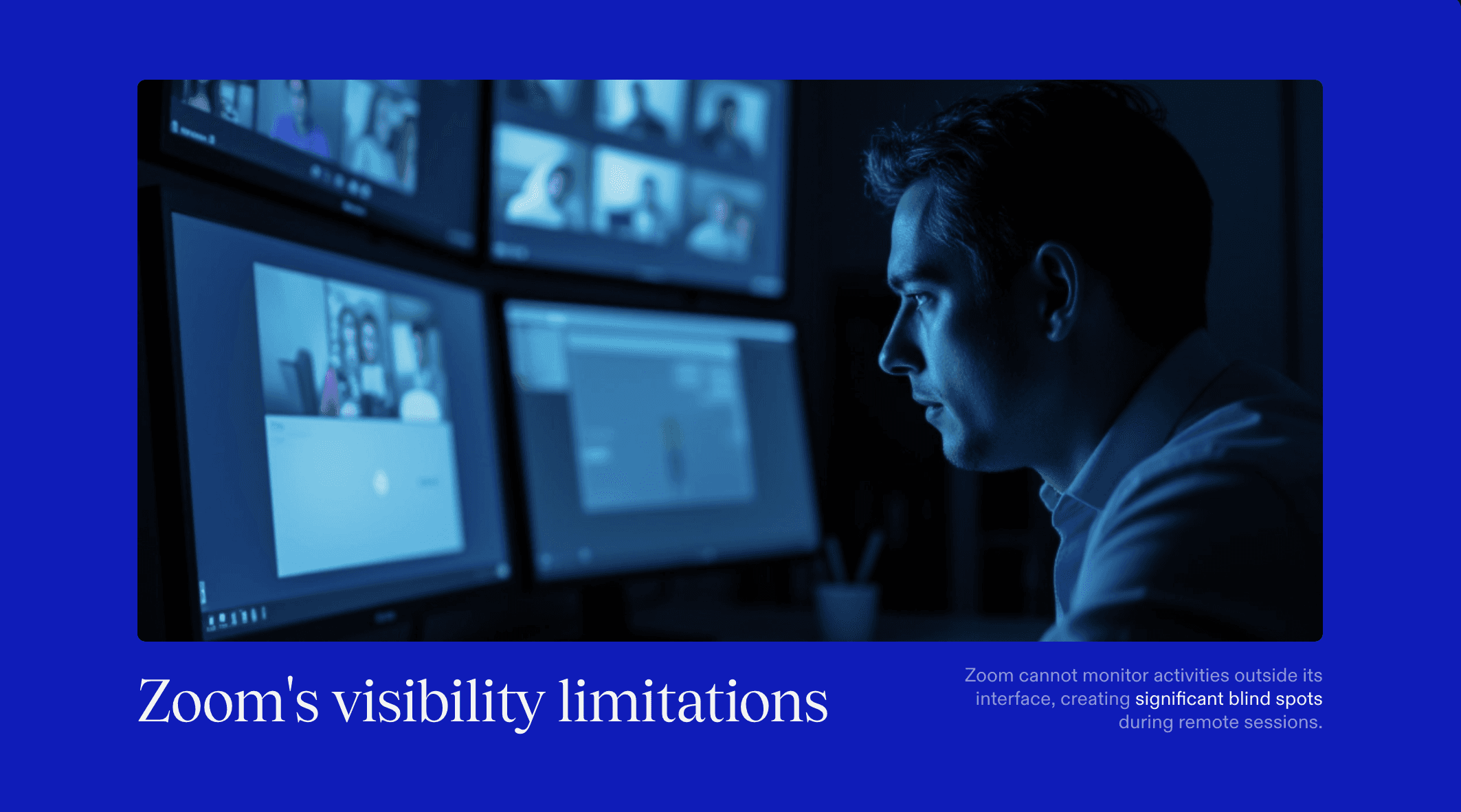
While Zoom is effective for conducting remote interviews, it has significant blind spots when it comes to detecting cheating or fraudulent behavior. Its visibility is limited to what is shared on screen or captured by the camera and microphone. As a result, many common interview cheating techniques remain completely undetected during Zoom interviews.
1. Activities Outside the Zoom Application
Zoom has no visibility into actions that occur outside its own interface, making off-platform activity difficult to detect.
Zoom cannot monitor background browser activity, messaging apps, AI tools, or remote assistance unless screen sharing is enabled.
It cannot track tab switching, hidden windows, or AI copilots running silently in the background.
Candidates can easily receive real-time answers through chat apps or AI tools without Zoom detecting it.
Any activity happening on a separate screen or outside the Zoom window remains invisible.
2. Second Devices and External Help
The use of secondary devices is one of the most common and hardest-to-detect forms of interview cheating.
Zoom cannot detect mobile phones, tablets, smartwatches, or an additional laptop being used during the interview unless they are clearly visible on camera.
Candidates can read answers, receive messages, or listen to prompts through these devices without raising technical alerts.
External assistance from another person sitting off camera cannot be identified by Zoom.
This creates a major gap in remote hiring integrity.
3. Physical Notes and Off-Camera Materials
Zoom offers no protection against physical reference materials used outside the camera’s view.
Printed notes, handwritten answers, or sticky reminders placed outside the visible frame cannot be detected.
Candidates can position notes near the camera to minimize eye movement and avoid suspicion.
Even in well-lit environments, physical materials can remain hidden.
Zoom does not analyze gaze direction or reading behavior to flag potential misuse.
4. AI-Assisted Responses and Scripted Answers
Zoom does not analyze how answers are generated or whether they are assisted by AI.
It cannot detect if responses are being generated by AI tools in real time.
Scripted answers read from a screen or device appear no different from genuine responses.
Zoom does not assess response originality, consistency, or cognitive effort.
AI-assisted cheating can easily go unnoticed in standard Zoom interviews.
5. Identity Substitution and Proxy Interviews
Zoom lacks built-in mechanisms to verify candidate identity beyond visual confirmation.
It cannot confirm whether the person answering questions is the actual applicant throughout the interview.
Proxy interview scenarios, where assistance is provided off camera or via audio prompts, are difficult to detect.
Zoom does not continuously validate identity during the session.
This increases the risk of impersonation in high-stakes hiring.
Common Ways Candidates Cheat in Zoom Interviews
Understanding common cheating methods helps recruiters design better interviews and recognize where Zoom’s limitations begin.
1. Using AI tools like ChatGPT for real-time answers
Candidates use AI tools on a separate screen or device to generate answers while maintaining eye contact on Zoom.
Example: A candidate pauses briefly, reads an AI-generated response from a second laptop, and delivers a polished answer on the call.
2. Receiving help through messaging apps or Bluetooth earpieces
Some candidates receive answers via chat apps or audio prompts that are completely outside Zoom’s visibility.
Example: A candidate wears a wireless earbud under their hair while another person feeds answers through a phone call.
3. Reading scripted responses placed near the camera
Prepared scripts or notes are positioned close to the webcam to reduce noticeable eye movement.
Example: A candidate reads predefined answers taped behind the screen while appearing to look directly at the interviewer.
4. Having another person feed answers off camera
An external helper provides answers through gestures, whispers, or real-time messages off screen.
Example: A candidate glances sideways to listen to someone prompting answers from outside the camera frame.
5. Switching tabs or devices during technical questions
Candidates quickly move between tabs or devices to look up solutions during problem-solving questions.
Example: While discussing a coding problem on Zoom, the candidate searches the solution on a phone placed below the desk.
Zoom alone cannot reliably detect any of these behaviors, which is why modern hiring teams increasingly rely on AI-driven interview integrity solutions.
How Sherlock AI Helps Detect Cheating in Zoom Interviews
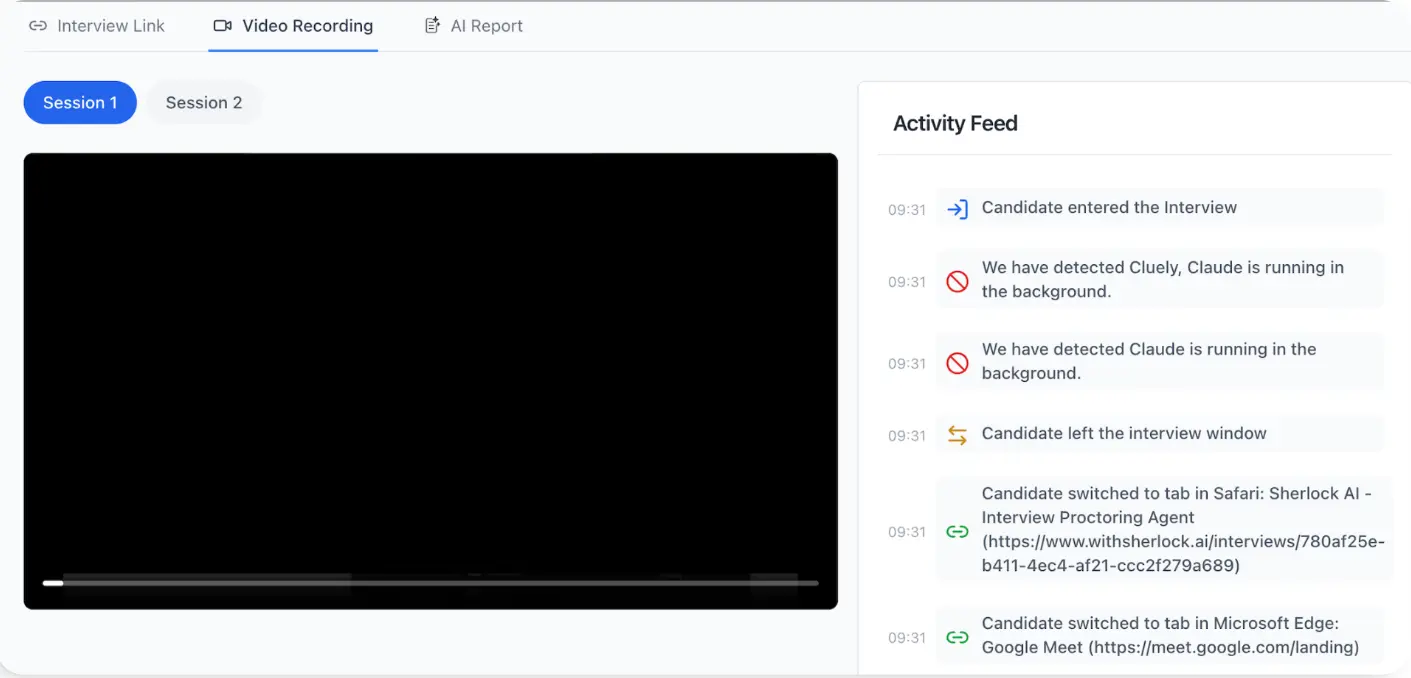
Sherlock AI works alongside Zoom interviews to identify cheating patterns that are invisible to standard video calls. Instead of monitoring screens alone, it focuses on behavior, response authenticity, and consistency.
Detects AI-assisted and scripted responses: Sherlock AI analyzes how answers are delivered, identifying unnatural timing, over-polished language, and inconsistent reasoning that often signal real-time AI usage during Zoom interviews.
Identifies second-device and external help signals: By tracking behavioral cues such as repeated gaze shifts, unusual pauses, and delayed follow-ups, Sherlock AI detects patterns linked to off-screen devices or external assistance that Zoom cannot see.
Analyzes behavioral consistency across the interview: Sherlock AI evaluates answer quality, confidence, and complexity throughout the session, flagging sudden jumps or inconsistencies that may indicate cheating.
Reduces human bias in manual observation: Instead of relying solely on interviewer judgment, Sherlock AI provides standardized, objective analysis across all interviews for fair and consistent detection.
Works seamlessly with Zoom interviews: Sherlock AI integrates smoothly with Zoom without disrupting the interview flow and continues to monitor integrity even when screen sharing is disabled or limited.
Read more: How to Detect and Prevent Cluely AI in Interviews
Zoom vs Sherlock AI: Cheating Detection in Remote Interviews
Feature | Zoom | Sherlock AI |
|---|---|---|
Primary purpose | Video communication and meetings | Interview integrity and cheating detection |
Cheating detection capability | No native cheating detection | Built specifically to detect interview cheating |
AI-assisted answer detection | Not supported | Detects AI-generated and scripted responses |
Behavioral analysis | Not available | Analyzes response timing, gaze patterns, and delivery |
Second-device detection | Cannot detect secondary devices | Identifies behavioral signals of off-screen assistance |
External help detection | Limited to what is visible on camera | Flags patterns linked to external prompting |
Screen sharing dependency | Required for any on-screen visibility | Works even without screen sharing |
Consistency analysis | Evaluates isolated moments only | Tracks behavioral consistency across the interview |
Human bias reduction | Fully dependent on interviewer judgment | Provides standardized, objective insights |
Integration with interviews | Standalone video tool | Works seamlessly alongside Zoom |
Impact on interview flow | Neutral | Adds integrity without disrupting interviews |
Best suited for | Conducting remote interviews | Ensuring authenticity and hiring integrity |
Final Thoughts
Zoom is an effective tool for conducting remote interviews, but it was never designed to detect cheating or verify candidate authenticity. Its visibility is limited to what is shared on screen and what interviewers can manually observe, leaving major gaps in modern remote hiring.
As AI tools, second-device usage, and external assistance become more common, relying on Zoom alone puts hiring quality and integrity at risk. This is where Sherlock AI makes the difference.
By adding behavioral analysis, AI-assisted response detection, and consistency monitoring, Sherlock AI transforms Zoom interviews from simple video calls into secure, trustworthy hiring evaluations. For organizations that value authentic talent and fair hiring decisions, combining Zoom with Sherlock AI is no longer optional, it is essential.